Browser extension
Check any YouTube video
in one click.
What it does
The extension is a one-click front door to the same honest analysis that powers the website. When you are on a YouTube video, it does the work without you copying a link.
- Auto-detects the video you are watching. On any YouTube watch page, Short, or youtu.be link, it picks up the URL automatically. Anywhere else, you can paste a link.
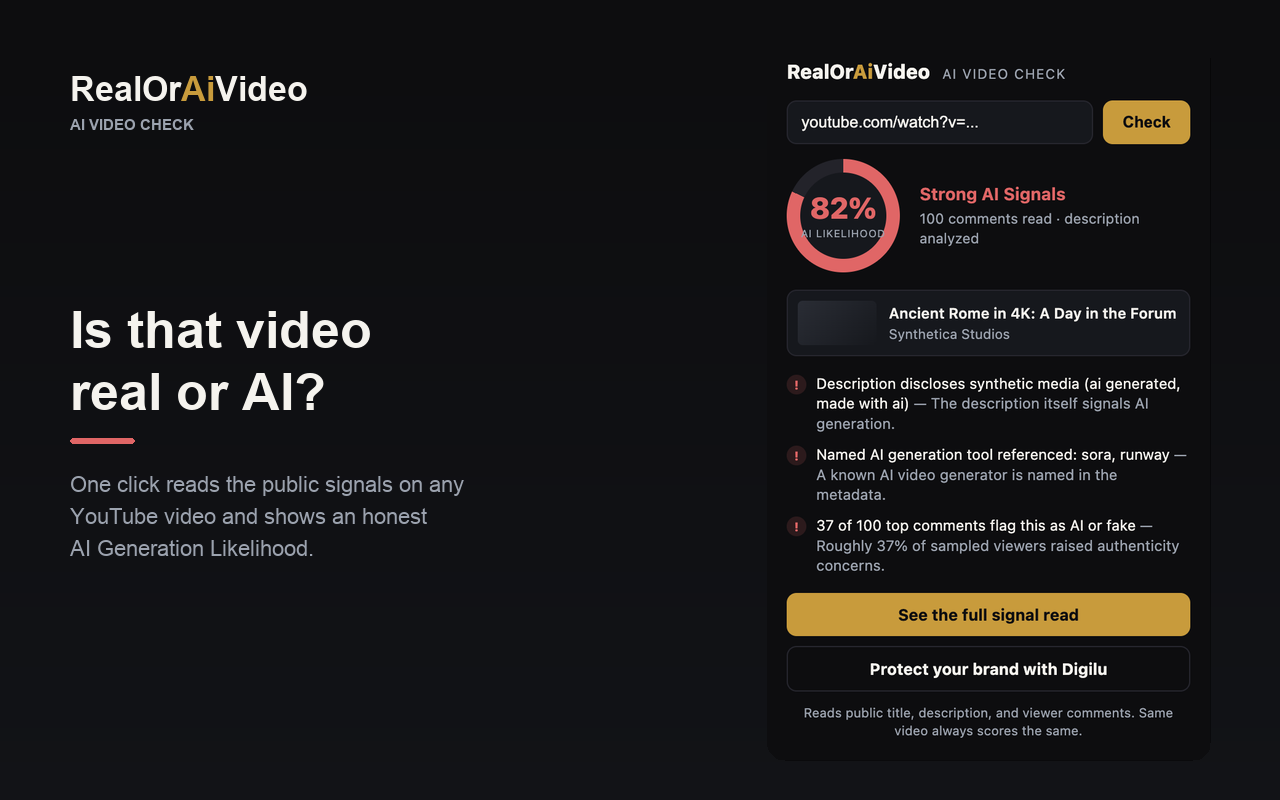
- Shows the AI generation likelihood. A clear percentage and signal band, computed the same way every time, so the same video always scores the same.
- Surfaces the signals behind the score. Description disclosures, named AI tools, and the viewer comments calling a clip AI, fake, or manipulated, so you can see why, not just what.
- Links to the full read. One tap opens the complete signal breakdown on RealOrAiVideo, and the path to Digilu for brand and reputation protection.
How it works
Open a YouTube video
Watch page, Short, or a youtu.be link. The extension recognizes that you are on a video.
Click the icon
It reads only the current tab's URL at that moment and sends that single link to the analysis service.
Read the likelihood
You get the AI generation likelihood, the signal band, and the public signals behind it, in seconds.
Under the hood it is a thin client over the same public /detect engine the website uses. There is no separate model and no separate logic: the extension and the site agree because they ask the same engine the same question.
Screenshots

Install
The extension is free, needs no account, and installs in a couple of clicks from the Chrome Web Store.
After installing, pin the icon to your toolbar so it is one click away on every video. It also works in Chromium-based browsers such as Microsoft Edge, Brave, and Arc.
Privacy
The extension reads the URL of your active tab only at the moment you click it, sends only that single YouTube URL to the analysis service, never reads page content, does not track your browsing, and stores nothing on your device.
It requests just two permissions, and only for what it does: activeTab, to read the current video's link when you click, and access to realoraivideo.com, to send that link to the analysis service. No history, no bookmarks, no background tracking. For the full detail on how we handle data across the platform, see the privacy policy.
Accuracy notes
The extension is honest by design, and that means being clear about what it can and cannot tell you.
- It reads public text signals, not pixels. The score comes from the title, description, creator disclosures, named AI tools, and viewer comments. It does not analyze the video frames or the audio.
- It is a likelihood, never a verdict. No tool can prove a video is AI-generated with certainty. The result is a signal-based likelihood you can reason about, not a guarantee.
- Absence of a signal is unknown, not innocent. A clean read does not mean a video is real. It means the public signals did not flag it.
- It is deterministic. The same video returns the same result every time, because the score is computed from observable signals rather than guessed.
- Signal quality depends on public data. Videos with rich descriptions and active comment sections give a stronger read than sparse uploads. Where data is thin, the result says so.
For the full method, what we read and what we will not claim, see how the analysis works.
FAQ
Is the extension free?
Yes. It is free to install and use, with no account required. It runs the same analysis as the website at no cost.
What does it read?
Public text signals only: the video's title, description, creator disclosures, named AI generation tools, and the viewer comments that flag a clip as AI, fake, deepfake, or manipulated. It does not analyze pixels or audio.
Does it track my browsing?
No. It reads the URL of your active tab only at the moment you click the icon, sends only that single YouTube URL to the analysis service, never reads page content, and stores nothing on your device.
Will it give the same answer as the website?
Yes. The extension is a thin client over the same public analysis engine. Same video, same question, same deterministic result.
Does it work outside Chrome?
It is built for Chrome and works in Chromium-based browsers such as Microsoft Edge, Brave, and Arc. A standalone build for other browsers is not available yet.
Can it prove a video is AI-generated?
No tool can prove that with certainty. The extension reports a likelihood from observable public signals and never claims 100 percent accuracy.